guides
Singpass FAPI 2.0 by 31 December 2026: What Your Organisation Needs to Do
Every Singpass and Myinfo integration must meet FAPI 2.0 by 31 December 2026. What changes, the key dates, a six-step plan and the questions to ask your vendor.

AbdullahSoftware Engineer
The short answer
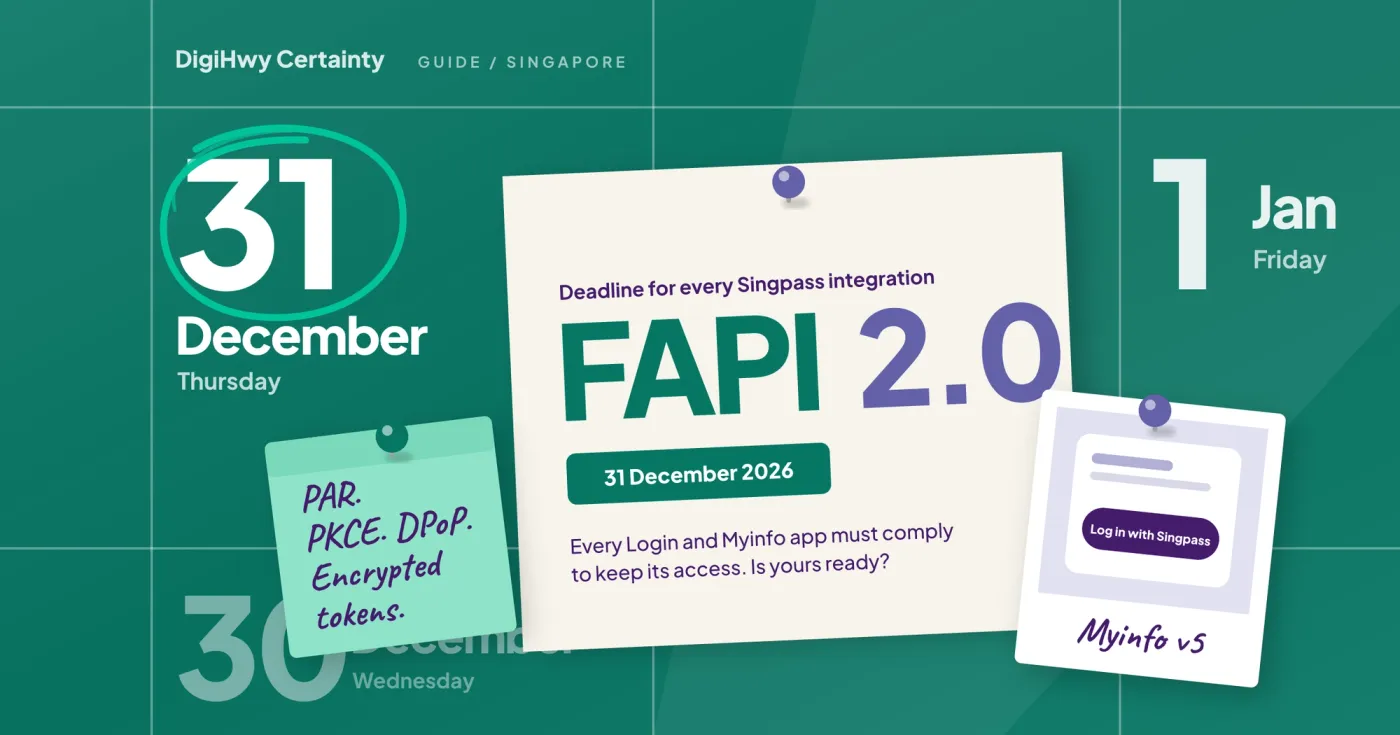
If people log in to your website or app with Singpass, or fill in forms with Myinfo, your integration has to meet a stricter security standard called FAPI 2.0 by 31 December 2026. Singpass's own wording is that apps must comply by then "to ensure continued access" (Singpass Partner Support). That's less than three months away. The change lives in your login code, so you'll need a developer, a round of testing and a release.
The good news is you don't need to rebuild your service. For most Login and Myinfo v5 apps, the work is in how your system talks to Singpass behind the scenes.
Who this affects
Any Singapore organisation, government or private, that uses Singpass. That covers charities verifying volunteers or beneficiaries, associations onboarding members through a member portal, and SMEs pre-filling application forms with Myinfo. If a vendor built the integration for you, the deadline is still yours to meet, because the app sits under your organisation.
Apps created after Singpass's FAPI 2.0 production environment went live in mid-February 2026 already had to use the new standard. The deadline is for anything built before that.
Key dates
- 19 January 2026: the FAPI 2.0 test (staging) environment went live.
- 11 February 2026: the FAPI 2.0 production environment went live.
- 23 February 2026: a migration wizard opened in the Singpass Developer Portal for Myinfo v3 and v4 apps.
- 30 September 2026: Myinfo v3 and v4 were switched off.
- 31 December 2026: every Singpass API has to be FAPI 2.0 compliant.
These dates come from Singpass Partner Support and Singpass's staging environment announcement.
What actually changes
FAPI 2.0 comes from the OpenID Foundation and is meant for APIs that handle sensitive data. Singpass sums it up as adding things like proof-of-possession tokens and stricter authentication (Singpass Partner Support). For your system, that means changes in five places:
- The login request moves to your server. Your system can't put together the Singpass login link in the browser any more. It sends the request privately from your server first (a "pushed authorisation request") and gets back a reference to use in the link (Singpass docs).
- PKCE is now required. It's a one-time secret that stops anyone who intercepts the login code from using it, and Singpass only accepts the S256 method.
- Tokens are tied to your key. With DPoP, each token request and Myinfo request carries a signed proof that your server holds a particular private key, so a stolen token is no use on its own. The header your system sends changes from "Bearer" to "DPoP" (Singpass DPoP guide).
- ID tokens arrive encrypted. Your system has to decrypt them, and you need to publish an encryption key next to your signing key (migration guide for Login and Myinfo v5 apps).
- Your server signs in with a signed client assertion, known as "private_key_jwt", on both the pushed request and the token request (Singpass docs).
If your integration was built on a certified OpenID Connect library, a library update may cover a lot of this. If someone wrote it by hand, expect more work.
What it means for your setup
- Singpass Login or Myinfo v5 apps: you keep your existing app in the Singpass Developer Portal and update it. You can run the old and new connections side by side while you switch, which makes testing much safer (Singpass migration guide).
- Myinfo v3 or v4 apps: these were switched off after 30 September 2026. If your forms still pull data through them, that part has probably already stopped working. The fix is to move to Myinfo v5 with FAPI 2.0 (Singpass Myinfo FAQ).
- iPhone and Android apps: a native app has to bring users back through verified app links (Android App Links or iOS universal links), and those addresses have to be registered with Singpass beforehand (Singpass migration guide).
- Corppass: business logins are moving to FAPI 2.0 as well, with a separate migration guide (Corppass docs).
A six-step plan for the next 11 weeks
- Work out what you have. Which Singpass products do you use (Login, Myinfo, Corppass), on which version, who built it, and does it run on a website, a mobile app or both?
- Check the library. Ask your developer whether the integration uses a certified OpenID Connect library, and whether the version you're on supports pushed authorisation requests, DPoP and private_key_jwt.
- Publish your keys. Your JWKS, the public key set Singpass reads from your server, needs both a signing key and an encryption key.
- Test in staging. Singpass's FAPI 2.0 test environment has been running since January 2026. Try the whole journey there first, including failed logins and timeouts.
- Switch over in production. Login and Myinfo v5 apps can run both connections at once, so you can move users across bit by bit and roll back if something breaks.
- Keep another way in. Singpass can't be the only way to sign in or fill in a form (Singpass onboarding requirements), so make sure people without Singpass, or stuck on a failed login, can still get through.
Aim to finish a few weeks before 31 December, because December is a short month for most teams. Singpass also asks partners to tell it their planned migration window (Singpass Partner Support).
Questions to ask your vendor
- Have you moved our integration to FAPI 2.0 yet, and can you show me it working in staging?
- Which library do we use, and can our version handle DPoP and pushed authorisation requests?
- Who holds our private keys, and where are they kept?
- Is our mobile app's return link registered with Singpass?
- What's the fixed cost and the go-live date, and what happens if it slips past 31 December?
If the answers are vague, our questions to ask an IT vendor in Singapore cover the wider checks. If the original vendor has moved on or gone quiet, a fixed-price IT audit will tell you exactly where your integration stands.
How we can help
Singpass integration has a reputation for being painful, and it's earned: the specifications are dense, the sandbox is fussy, and the compliance requirements aren't optional. We've done it enough times to make it routine. Singpass integration is one of our core services in Singapore, and everything new we build uses FAPI 2.0 from day one.
For a FAPI 2.0 migration, here's how we work:
- We start by checking what you have: which Singpass products, which version, who built it, and what your organisation is eligible for. If you only need part of the data you collect today, we'll say so, because collecting less is safer and easier to get approved.
- We build and test the new connection in Singpass's staging environment first, then run test sign-ups with your team before any real user depends on it.
- We switch over with the old and new connections running side by side, so there's a way back if anything goes wrong.
- We handle the paperwork with you, rather than handing you a pile of it.
- At the end, the Singpass application, the keys and the documentation are registered to your organisation. They're yours, not ours.
You get a fixed quote in Singapore dollars for the scope we agree. If you'd like the background first, our guide to what Singpass integration actually involves walks through the full setup, and what a website or app costs in Singapore covers build budgets.
We've been building systems for Singapore organisations since 2014, including Friends in Deed, a crowdfunding platform for Girls' Brigade Singapore, the HealthServe lifeline app, a 24/7 multilingual helpline for migrant workers, and an ongoing project with a dementia care centre. You can see more in our case studies.
Once you're live, FlexiTech gives you a named engineer for an agreed share of their week, so there's someone who already knows your Singpass setup when the next change lands. Not sure where your integration stands? Get in touch and we'll help you find out before the deadline does.
FAQs
What happens if we miss the 31 December 2026 deadline?
Singpass says apps need to be FAPI 2.0 compliant by then to keep their access. It's safest to assume a non-compliant login or Myinfo connection may stop working.
Do we need to create a new app in the Singpass Developer Portal?
Not for Login or Myinfo v5 apps. You update the app you already have and run the old and new connections side by side while you test.
We still use Myinfo v3 or v4. What now?
Those versions were switched off after 30 September 2026. You'll need to move to Myinfo v5 with FAPI 2.0, which Singpass's migration wizard helps with.
Does FAPI 2.0 affect Corppass?
Yes. Corppass has its own FAPI 2.0 migration guide for business logins.
Does Singpass charge for the migration?
No. Singpass doesn't charge setup or onboarding fees, and the first 50,000 completed logins a month per UEN are free (Singpass pricing). What you pay for is the development work.
How long does a migration take?
That depends on how the integration was built. One on an up-to-date certified library might need little more than configuration and testing. A hand-written one takes longer. Either way, start testing in staging well before December. If you're also planning a mobile app, our guide on whether you need an app in Singapore explains how Singpass works differently there.
♥ DigiHwy Certainty